Understanding Debounce and Throttle with Tayo the Little Bus
Originally written in IndonesianRead the original (Bahasa Indonesia) →
“Hey Tayo! Hey Tayo! He’s a friendly little bus.” This song made me randomly start thinking about how to explain debounce and throttling, and how they differ, as programming techniques for optimization.
Before we meet Tayo, let’s look at the formal definitions of debounce and throttling.
Debounce
Delays the execution of a repeatedly called function until it has been idle for a given amount of time.
Throttle
Limits a function so that it can only run once within a given amount of time.
The definitions look alike, right? So what’s the difference, and how do they work?
Basically, both debounce and throttle are used to optimize a program’s performance by limiting how often a function gets executed, so that it isn’t called non-stop. The difference is in how they limit it.
To understand how they work, let’s meet Tayo.
Let’s Sing First
The idea for this post came from a game I played with a friend. The game is completely pointless: whenever they say “Hey”, I have to reply “Tayo!”. (Forgive us, we were bored from the mass work from home to contain the COVID-19 outbreak.)
Everything felt normal, until one time they started with:
“HeHeHeyHeyHey”
So I had no choice but to reply:
“TaTaTayTayTayo!”
Eventually I got tired, so I applied debounce and throttling to this game.
The Debounce Technique
Before we start, let’s fix a time limit. For now, let’s say 1 second.
Using debounce means staying quiet and only answering “Tayo!” once 1 second has passed since the last “Hey”.
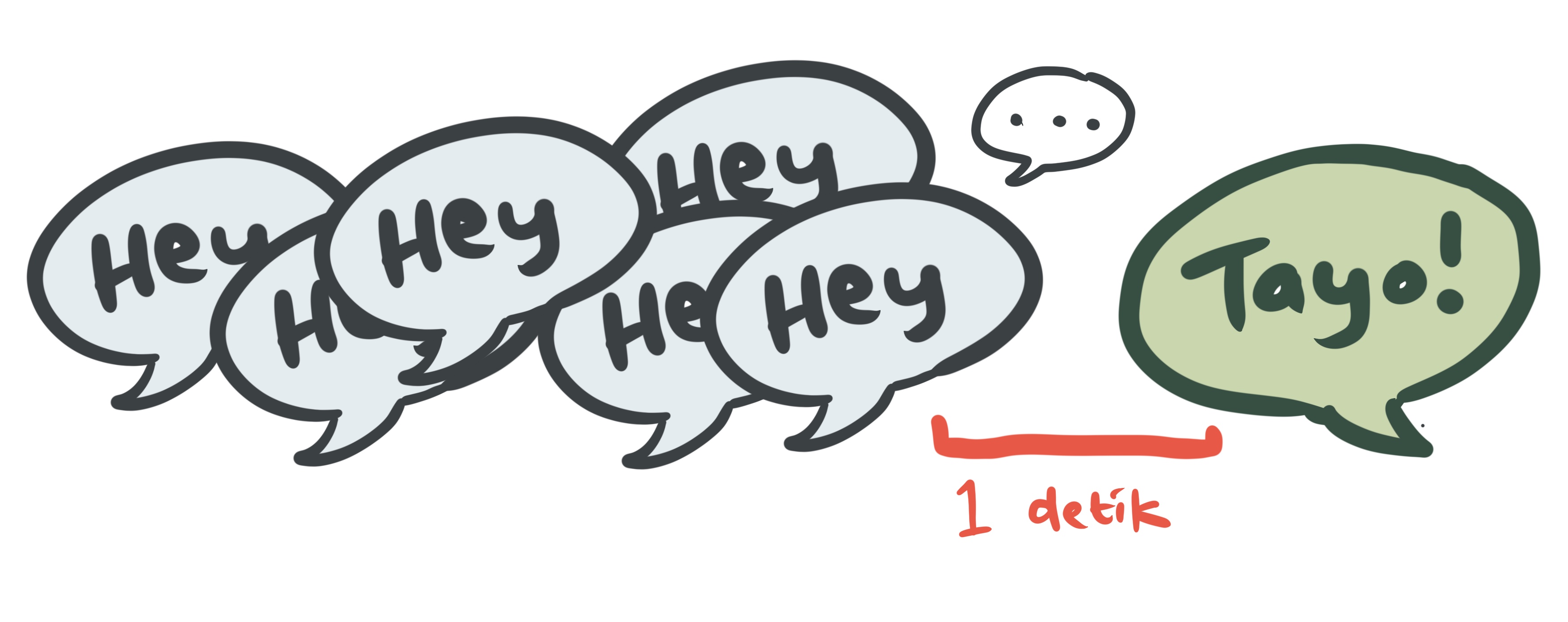
From the timeline above you can see that I only answer “Tayo!” once my friend has stopped saying “Hey” for 1 second.
The Throttle Technique
Just like debounce, we’ll use the same time limit, which is 1 second.
Using throttle means answering “Hey” with “Tayo”, then resting for 1 second before I can answer “Tayo” again.
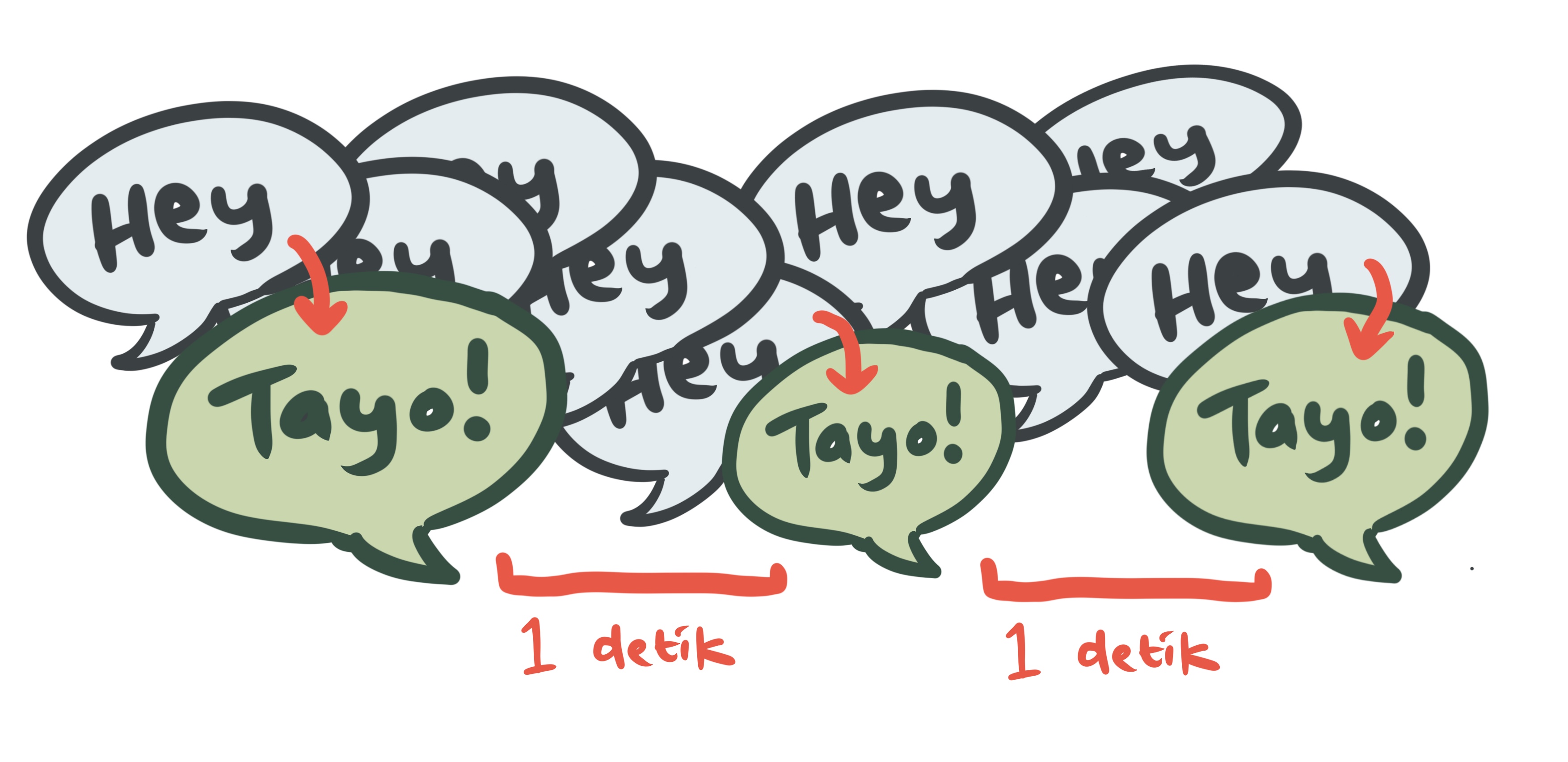
However, throttle doesn’t always mean answering exactly every 1 second, because 1 second is only the minimum wait before I can answer again. Let’s look at the next example:
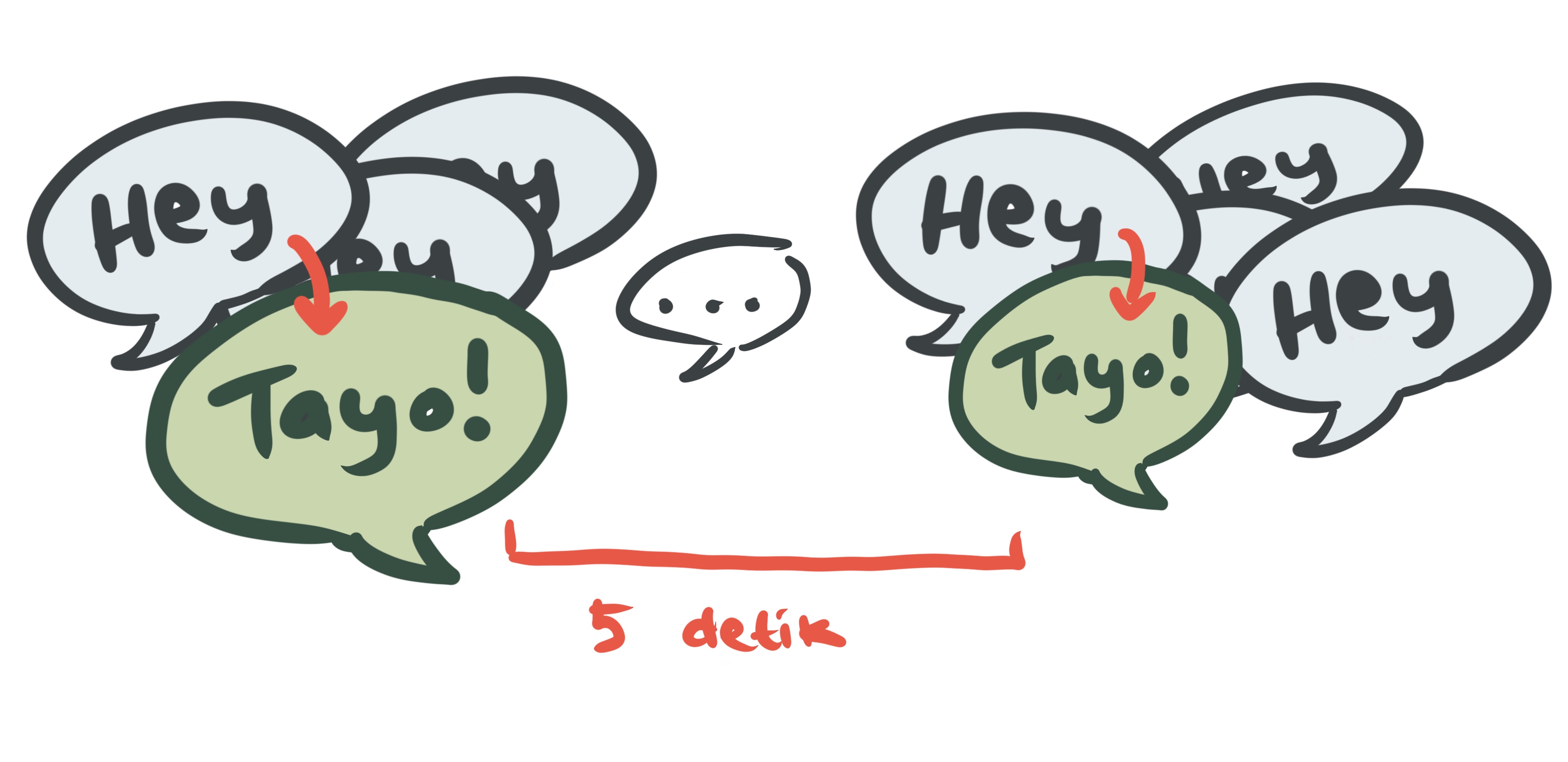
Here my friend stayed quiet for 5 seconds. That doesn’t mean I’ll now answer every 1 second from then on. Since more time has passed than my throttle limit, I simply answer at the very next “Hey”.
If you play games, you can think of throttle as the cooldown of a skill. After you use a skill, you usually have to wait a while before you can use it again. That’s another example of throttle.
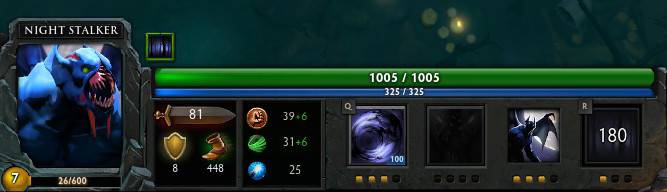
In the picture, the fourth skill can only be used again after 180 seconds. So you could say this skill is throttled for 180 seconds.
Real-World Usage
No, “real world” here doesn’t mean the game above. I mean real programming use cases.
One example I’ll use is an autocomplete input.
Imagine a text input for a country name, where every time the user types something, the app calls an API to look up matching country names in the database.
For reference, here’s a demo of how it behaves:
Note: if the demo doesn’t show up, you can open it directly through this link.
Without debounce or throttle, the API is called every time the user presses a key. You’ll see the loading indicator flash constantly, and this may put unnecessary load on the backend.
With debounce, the app waits until the user has stopped typing for the given amount of time, and only then calls the country-list API.
With throttle, the app stops calling the country-list API once it has been called within the given time window. It only calls the API again after that window has passed.
Besides the autocomplete input, there are many other uses, for example:
- Updating the UI while the screen size keeps changing
- Functions that run on scroll
- Preventing a user from submitting the same thing over and over (for example, by repeatedly clicking a button)
A good implementation of debounce and throttle improves your app’s performance and cuts down on repeated heavy work.
How to implement debounce and throttle isn’t covered in this article, but I recommend checking out the links below.
- Codeburst - Throttling and Debouncing in JavaScript
- Telerik - Debouncing and Throttling in JavaScript
- Demystifying Debounce in JavaScript
Besides the links above, feel free to look for other examples too.
Like most JavaScript tricks, there are already libraries for debounce and throttle. One example is Lodash, which contains many utilities, including debounce and throttle.
That’s how debounce and throttle work. I hope this explanation gives you a good picture of them.
Thank you, Tayo!
This article was also republished as an article on Medium JogjaJS (in Indonesian).