
Communicating Between React Components with Custom Events
Originally written in IndonesianRead the original (Bahasa Indonesia) →
Ever had trouble connecting two or more React components that live far apart in the code? Don’t want to add state management at a very high level just to open and close something? Don’t want to pull in an external library to manage that state? Don’t worry, the web platform has a built-in solution.
An Imaginary Scenario
Imagine we have a React-based online store where every page has a header with a dropdown for switching the currency. This header component is a template applied to every page.
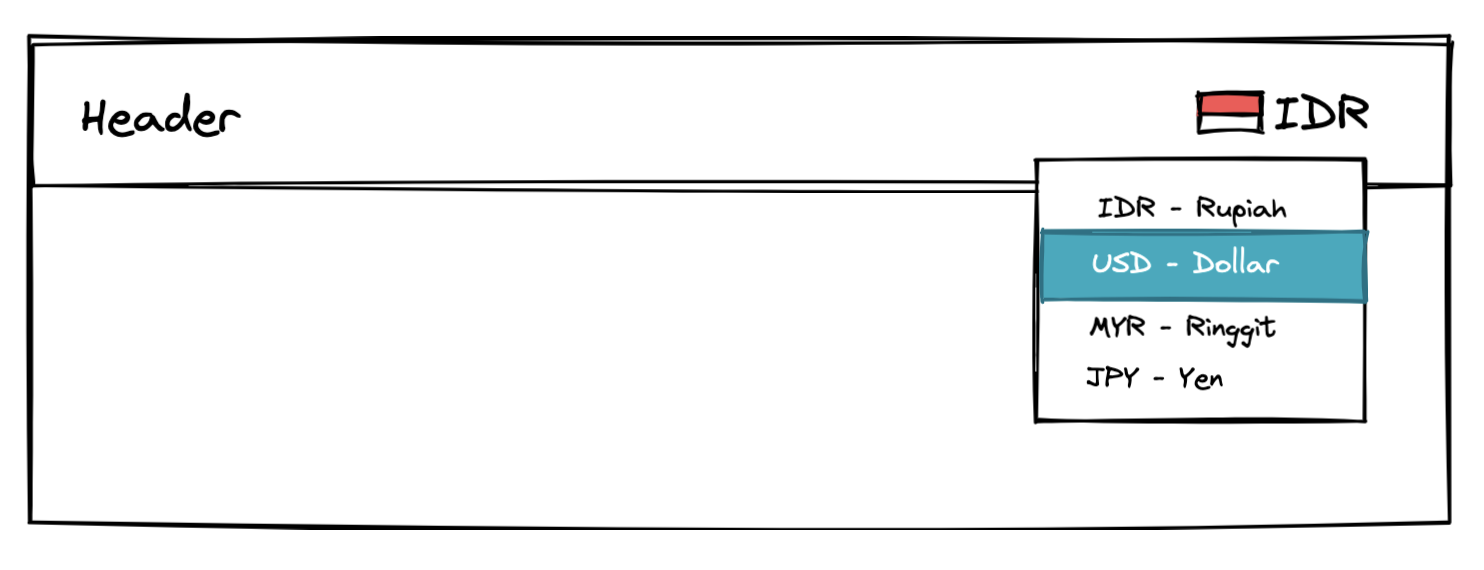
The header component is self-contained and isn’t tied to the page content. Whatever the page contains, the header has no context about it.
One day, a feature request comes in.
On the checkout page, can we show a button that, when clicked, opens the dropdown in the header so users can change the currency?
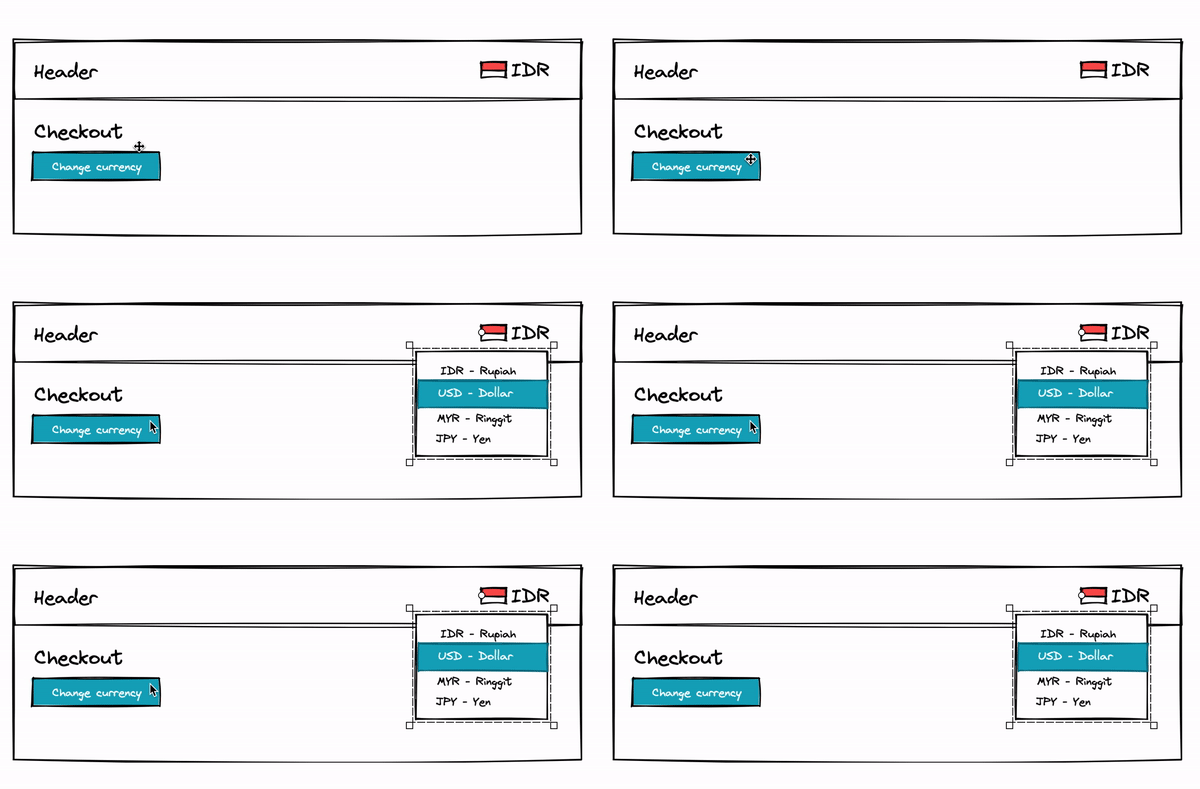
Technically this is surely possible. The problem is how to get there without changing a lot of things.
A few approaches might come to mind:
- Lift the state and a toggle function for the dropdown. A simple solution. It can be done with
React Context, but we’d need to create a function and logic that live at the same level as, or above, the page template. - Use an external library to manage state. There are many alternatives such as redux, zustand, jotai, and so on. This is quite overkill if we didn’t use any of them before and would have to introduce one from scratch.
There’s nothing wrong with the two solutions above, but in some situations it isn’t that easy to put state at a very high level, and we may not be free to add a library because of certain constraints. One way out is to use a built-in web feature: Custom Events.
Custom Event
Fundamentally, interactions in the browser are built on events that get dispatched and events that get caught. Event names are usually predefined, and we use them all the time, directly or indirectly. Some events we commonly use are:
- When an element is clicked -
onClick, “click” - When a key is pressed on the keyboard -
onKeyPress, “keypress” - When the page has finished loading -
onLoad, “load” - and so on
All the events we usually use are built into the web platform, each with its own purpose, which won’t necessarily match what we need. This is where CustomEvent differs: we can define our own event and have a component catch it.
In the button on the checkout page, we can write the logic to dispatch a custom event.
// CheckoutPage.js
const handleChangeCurrencyClick = () => {
  const dropdownEvent = new CustomEvent("toggleCurrencyDropdown", {
    detail: true,
  });
  document.dispatchEvent(dropdownEvent);
}

...

<button onClick={handleChangeCurrencyClick}>Change Currency</button>
Then in the header component, we add an event listener to catch the custom event we dispatched.
// Header.js
const [isDropdownOpened, setDropdownOpened] = useState(false);

const handleDropdownEvent = (e) => {
  const shouldDropdownOpen = e.detail;
  setDropdownOpened(shouldDropdownOpen);
};

useEffect(() => {
  document.addEventListener("toggleCurrencyDropdown", handleDropdownEvent);
  return () => {
    document.removeEventListener("toggleCurrencyDropdown", handleDropdownEvent);
  };
}, [handleDropdownEvent]);
Explanation
Here we name our event "toggleCurrencyDropdown". It could be anything, as long as it doesn’t reuse the name of an existing built-in event, to avoid conflicts.
When defining a custom event, we can also pass data through the detail field. In this case it holds a boolean that controls whether the dropdown is open or closed.
In the header component, we attach an event listener to catch the "toggleCurrencyDropdown" event once it’s dispatched. When that event happens, we read the data passed along with it to decide the dropdown’s state.
Closing Thoughts
Custom Events aren’t always the best approach, and there may be a better one depending on the rest of your code. But it works as an alternative solution (an escape hatch) when you get stuck in certain situations. It’s also a reminder that there are quite a lot of built-in utilities available in the web platform.